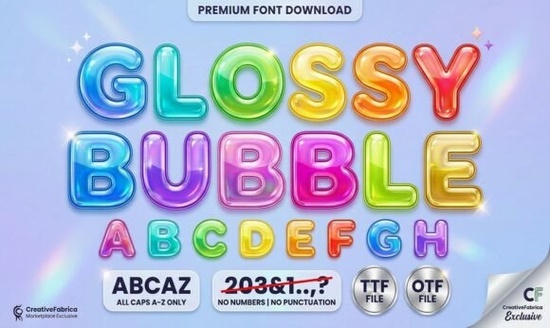
If you’re looking for a friendly, eye-catching display font that adds instant charm to kids’ projects, party printables, or cheerful apparel designs, Glossy Bubble Font is a great choice. It’s not overly complex just plump, rounded letters with soft outlines and subtle built-in highlights that mimic the shine of a real balloon. That glossy effect comes baked in, so you don’t need extra layering or effects in your design software to get that playful 3D pop.
What makes Glossy Bubble Font different from other bubble fonts?
Unlike many rounded display fonts that rely on shadows or manual highlights, Glossy Bubble Font includes its own gentle highlight marks as part of each character. This means the “shine” stays consistent no matter the size or color you use and it scales cleanly from tiny stickers to large wall decals. The hand-drawn feel keeps things warm and approachable, without looking stiff or over-polished. It’s especially helpful if you’re designing for young audiences or brands that want to feel inclusive, joyful, and easygoing.
You’ll notice it works well alongside other friendly display fonts like Super Bubble Font, but Glossy Bubble stands out for its slightly more refined outline thickness and balanced spacing making it easier to read at smaller sizes than some ultra-bubbly alternatives.
Where does this font work best?
Real-world use cases include:
- Kids’ activity sheets coloring pages, matching games, and learning flashcards benefit from its clear shapes and friendly rhythm
- Print-on-demand products think onesies, tote bags, and enamel pins where bold, legible, and cheerful typography helps items stand out in crowded marketplaces
- Digital stickers and planner inserts the glossy detail reads well even on small screens, and the rounded forms pair nicely with doodle-style illustrations
- Party invitations and birthday banners especially for baby showers, first birthdays, or summer-themed events where lightness and warmth matter
It’s not ideal for long paragraphs or formal documents this is a display font, meant for headlines, labels, and short bursts of text. But within that role, it delivers reliably.
How to pair Glossy Bubble Font thoughtfully
Because it has such strong personality, pairing it with simpler fonts helps keep layouts balanced. Try it with clean sans-serifs like Montserrat or Open Sans for body text or even a relaxed handwritten font like Moment Request Font for contrast without clashing. You’ll often see designers use Glossy Bubble for the main headline, then switch to something quieter for subheadings or details.
For color, bright palettes (think coral, mint, sunshine yellow) reinforce its playful energy but it also holds up well in monochrome or pastel schemes. One tip: avoid placing it directly over busy backgrounds. A light stroke or subtle drop shadow can help it stay readable without losing its bubbly charm.
Is Glossy Bubble Font compatible with common tools?
Yes it’s delivered as a standard OTF file, so it installs and works smoothly in Cricut Design Space, Silhouette Studio, Adobe Illustrator, Canva (via upload), and most other design platforms. No special plugins or converters needed. If you’ve used fonts like Lemon Font before, the workflow is very similar.
You’ll also find it grouped with other lighthearted display fonts in Creative Fabrica’s Glossy Bubble Font collection, which includes bonus extras like alternate characters and stylistic sets useful if you want slight variations for logos or layered text effects.
Who’s using this font right now?
We’ve seen small business owners use it for custom cookie packaging labels, homeschool educators building themed unit studies, and Etsy sellers creating printable growth charts and milestone cards. It’s also popular among crafters who cut vinyl for nursery decor its thick outlines help prevent breakage during weeding, and the smooth curves cut cleanly on most machines.
One user shared how switching from a generic rounded font to Helpful Person Font for captions and reserving Glossy Bubble for titles improved their social media engagement by making posts feel more intentional and cohesive.
If you're just getting started, try using Glossy Bubble Font for one key element per project like the event name on a birthday invite or the product name on a sticker sheet. Once you’re comfortable, experiment with scaling and color blocking to see how much personality a single font can add.
Quick checklist before downloading:
- ✔️ You need a display font not body text
- ✔️ Your project benefits from a cheerful, rounded, slightly shiny look
- ✔️ You’re okay with a hand-drawn aesthetic (not ultra-minimalist or corporate)
- ✔️ You’ll use it in tools that support OTF files
- ✔️ You’ve checked the license for commercial use (it includes POD and small business rights)
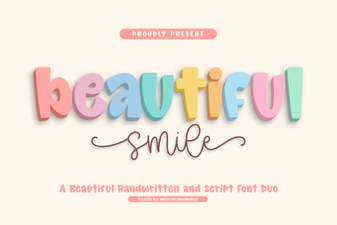 Beautiful Smile Fonts for Creative Design Projects
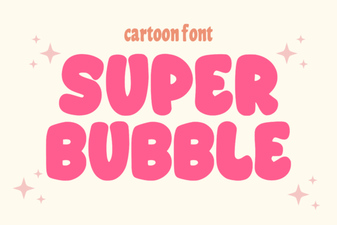 Crafting Unique Text with Super Bubble Font Design
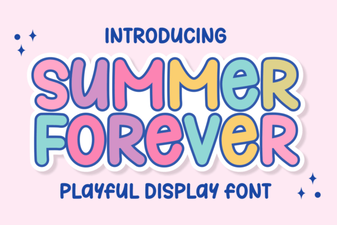 Summer Forever Font: Creative Styles & Project Ideas
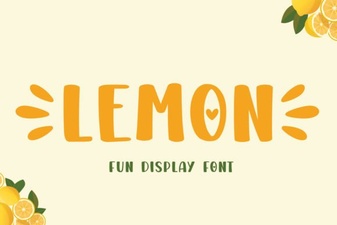 Lemon Font: Fresh Typography for Digital Design
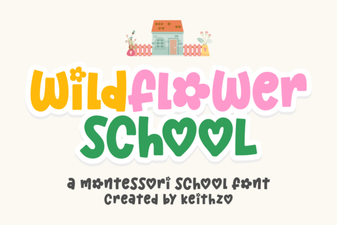 Creative Projects Using Wildflower School Font
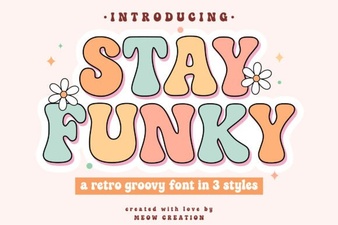 Fresh Fonts for Creative Design Projects