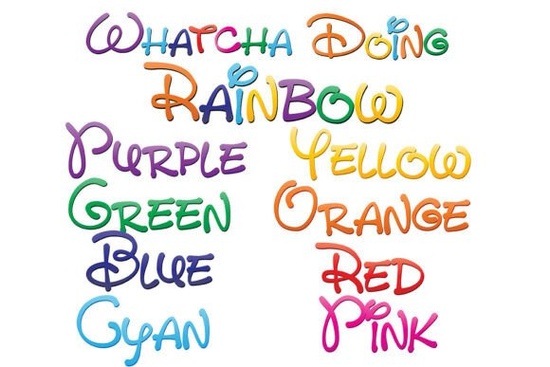
If you're looking for a fun, expressive way to add color and personality to your projects, the Whatcha Doing Font series is worth checking out. This set includes nine vibrant, full-color fonts that bring a playful, hand-written style to life using a gradient of eight rainbow colors plus one special font that blends all eight together. It’s perfect for digital designs, print-on-demand items, or creative crafts where a little whimsy goes a long way.
What makes these fonts different?
Unlike regular black-and-white fonts, these are OpenType SVG (full-color) fonts. That means each letter carries its own built-in color scheme, so when you type, the text appears in rich, layered hues right away no extra steps needed. The design mimics a hand-drawn look with soft edges and a casual feel, making it ideal for branding, social media graphics, or personal stationery.
The best part? They’re vector-based, so you can scale them up or down without any loss in quality. Whether you’re designing a small sticker or a large banner, the details stay sharp.
Which programs support these color fonts?
Not every app shows color fonts correctly. To see the full rainbow effect, make sure you're using software that supports SVG color fonts. Programs like Adobe Illustrator, Photoshop, InDesign, and Affinity Designer handle them well. If you use Silhouette Studio for cutting projects, you’ll get great results too. QuarkXPress and Inkscape also support this format.
On Mac, you can install them through Font Book. On Windows, use your preferred font manager or the Control Panel. Once installed, they show up just like any other .otf file. But keep in mind: in older or non-compatible apps, the text may appear black even if the font is actually colorful. You’ll know it’s working when the letters display their full range of colors after typing.
How to check if your program supports color fonts
- Type a few words in your design software.
- Look at the preview area do the letters show color?
- If yes, you’re good to go. If not, try switching to a supported app.
Where can you use these fonts?
These fonts work well across many creative uses:
- Branding for small businesses or Etsy shops
- Custom t-shirts, mugs, and tote bags (great for print-on-demand)
- Social media posts with a cheerful vibe
- Handmade greeting cards or party invitations
- Illustrations and digital art pieces
Because the style feels friendly and approachable, it fits well with brands that want to stand out with warmth and charm. The mix of colors adds energy without overwhelming the message.
How to get started with the Whatcha Doing Font set
Head over to Creative Fabrica’s dedicated page for the full collection. There, you’ll find all nine variations, including the unique combined rainbow version. Each font has been tested for clarity and consistency, so you don’t have to worry about glitches or missing glyphs.
For a deeper look at how this font family performs in real projects, visit the individual product pages. You can explore samples and see how the colors interact in different sizes and layouts. One user shared that they used the blended version for a children’s book cover it turned heads instantly.
Want to see how it looks in action? Try Whatcha Doing Font on a mockup or test document before committing to a project.
Final tips before you download
- Always confirm your design software supports SVG color fonts.
- Test the font in a small sample first especially if you plan to print.
- Save a backup copy of your design files in case future edits require adjustments.
- Consider pairing the font with neutral backgrounds to let the colors shine.
With a little experimentation, you’ll find the perfect way to use this lively font set in your next creative project.
Learn More The Quincy Font for Readable & Creative Designs
 Thick Fonts for Strong Visual Impact
 Creative Font Designs for Modern Projects
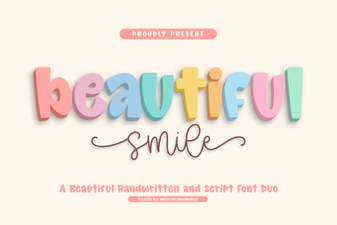 Beautiful Smile Fonts for Creative Design Projects
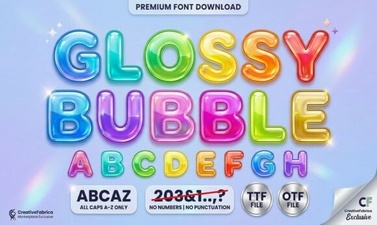 Glossy Bubble Fonts for Eye-Catching Designs
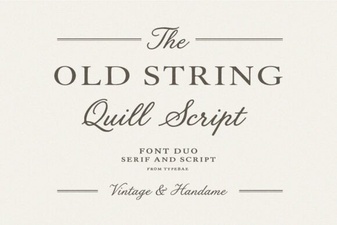 Old String Font Design Ideas & Free Downloads